Lead tracking

Your leads live in a spreadsheet, and it’s started costing you jobs.


I build the thing that replaces it. Shaped like the way you already work, so nobody has to learn a new job.

You know exactly which spreadsheet I mean


It started as one tab. Name, phone number, what they wanted. Then somebody added a column for the date they called. Then a column for whether the quote went out. Now there’s a tab for this year, a tab for last year, and one called FOLLOW UP that nobody has opened since March.

It works, mostly. Until a guy calls back asking about the estimate you sent him in April, and you scroll for four minutes to find out you never actually sent it. The row was there the whole time. The follow-up wasn’t.

Then there’s the part nobody says out loud: only one person really understands the file. Your office manager knows a yellow row means they’re waiting on you, and a bolded name means it’s a repeat customer, and the number in that far right column is what you quoted last time. None of that is written down anywhere. When she’s out for a week, the spreadsheet stops working.

And it can’t answer a question. How many quotes went out last month. Which of these came from the website. Who hasn’t been called back in two weeks. Every one of those means sitting down and counting rows by hand, so mostly you don’t, and you run the business on a feeling instead of a number.
What I build instead


When people talk about replacing spreadsheets with custom software, they picture something enormous. A year-long project, a login screen with forty settings, training sessions. That’s not what this is.

What I build is a lead tracker shaped like your spreadsheet, minus the parts that break. Same information, same order, same words you already use for things. The difference is that it remembers, it reminds, and more than one person can trust it.

Most people call this a custom CRM, or a lead management system. I call it a lead tracker, because that’s what it does.

What’s usually in one

  • Every lead in one place, with the fields you actually use and none you don’t
  • A status on each one you can read at a glance, so you know who’s waiting on you
  • Follow-up reminders that come to you instead of waiting to be noticed
  • Call notes and history attached to the person, not buried in a cell
  • Search that finds somebody by name, phone, or address in one try
  • Website inquiries dropping straight in, already filled out
  • Simple numbers: leads this month, quotes out, jobs closed, where they came from

How it fits your process

I don’t start by telling you how you ought to track leads. I start by looking at the spreadsheet you have and asking why each column is there.

If you sort by the day they called, it sorts by the day they called. If you have a stage called “waiting on insurance,” that stage exists. If your quotes go out as a text message and always have, it sends a text message.

The first version imports what’s already in the sheet, so nothing gets retyped and nothing gets lost. Then you use it for a couple of weeks and tell me what’s wrong with it, and I fix that.

You can open one right now


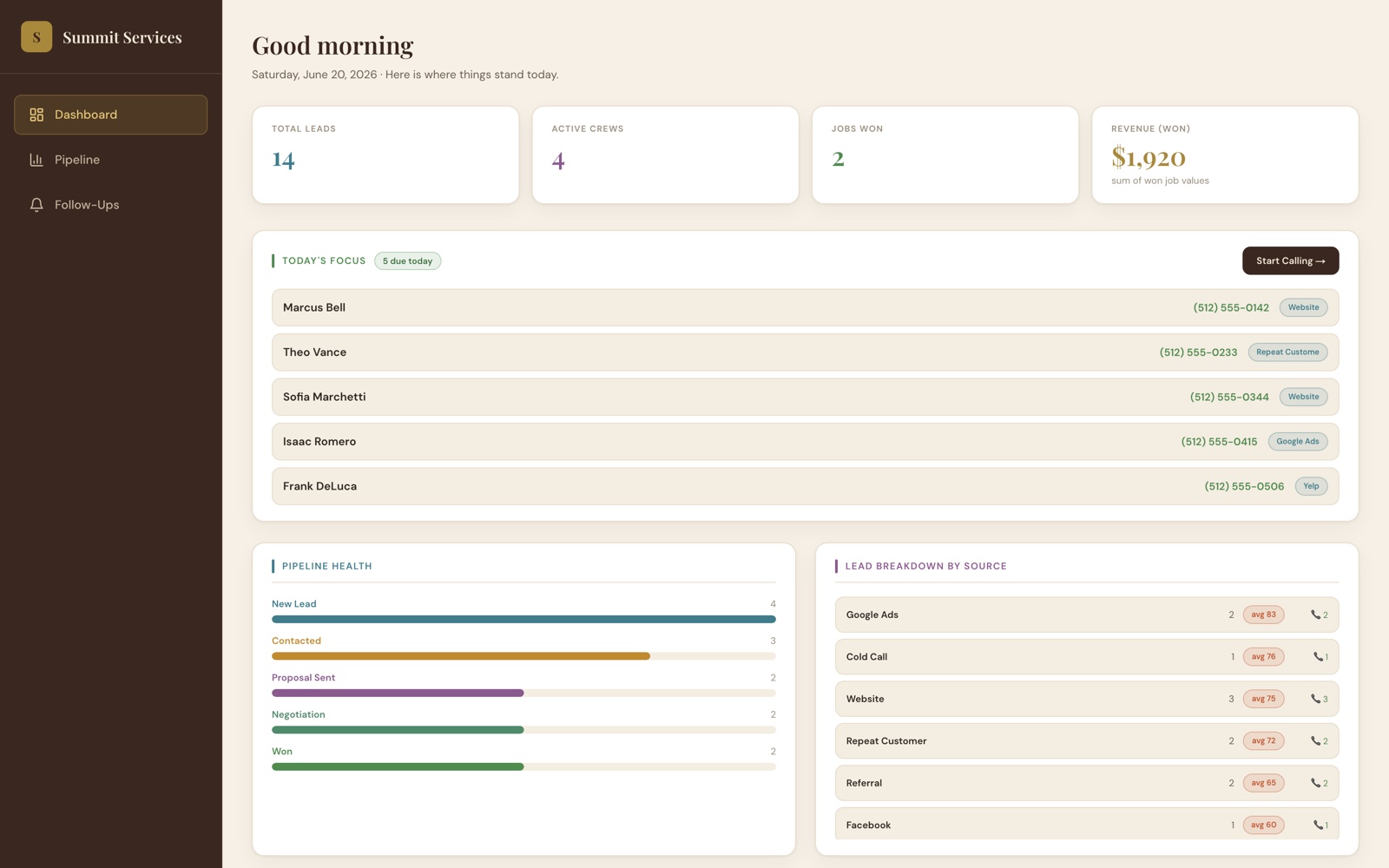
Not a screenshot and not a video. A working system on sample data.

Screenshot of the Lead & Job Pipeline CRM dashboard

Lead & Job Pipeline

A service company’s leads running from first call through quote, scheduling, and finished job, with a dashboard, follow-up reminders, and call logging. Click through the whole thing yourself.

Custom Software · Interactive Demo

Open the demo →

What it costs


Custom tools and business systems start at $2,500 and are scoped one at a time. A two-person shop tracking forty leads a month and a company with three crews and a dispatcher are not the same build. The full breakdown of every package and what’s included is on the pricing page.

There’s no monthly subscription on the software itself, and no per-user fee for adding your office manager. When it’s finished, it’s yours.

Not sure yet

Send me a screenshot of the spreadsheet with the names blurred out and tell me what drives you crazy about it. I’ll build you a free mockup of what it could look like instead. If it feels right, we keep going. If it doesn’t, you’ve still got something to look at. No catch.

Questions people ask first


What happens to everything already in my spreadsheet?

It gets imported. Your existing rows come over as real records, notes and all, so you’re not retyping four years of history to get started. If the old sheet has junk in it, I clean it up on the way in.

Isn’t there software that already does this?

There is, and if one of them fits you, use it. I’ll tell you so.

The problem most owners run into is that off-the-shelf software makes you work its way, charges per user every month, and still doesn’t have the one field your business actually runs on. A custom build is worth it when the way you work is the reason nothing off the shelf fits. If that’s where you are, the bigger version of that problem is worth a read.

Can more than one person use it at the same time?

Yes. Everyone gets their own login, everyone sees the same current information, and nobody has to ask who has the file open. You decide who can see what.

Do I have to be at a computer to use it?

No. It’s built for a phone first, because the person who needs to log a call is usually standing in somebody’s driveway. It works the same on a laptop.

Related


If the leads aren’t the worst of it and the real problem is typing the same job into two different systems, start there instead.

If the spreadsheet is only one symptom and half the business is running on paper, that’s the outgrown-the-spreadsheet conversation.

And if the leads you’re losing are the ones who called while you were on a roof, that’s a different fix and a cheaper one.

The website side is separate, and worth looking at first if the inquiries aren’t coming in to begin with.

Tell me what you’re working with


You don’t need to know what the technical answer is. Tell me what’s taking too long, what keeps slipping, or what you wish the spreadsheet could do, and we’ll go from there.

Or call 716-866-8787